
Why HMAC signing is not enough on its own
Anyone with the secret can sign
With HMAC, the key that verifies a webhook is the key that signs it. We used Testhooks to change a signed delivery and sign it again in three lines of JavaScript, then showed why an Ed25519 webhook from Sparrow rejects it.
On this page
Most webhooks are signed with HMAC-SHA256: the sender and the receiver share a secret, and the receiver checks that the signature matches the body. It is a good check, but it has one property that is easy to forget. The key that verifies is the key that signs. Every receiver holds it, and so does every tool it was pasted into while debugging. Any of them can produce a valid signature for any body.
Here is how little that takes.
Changing a signed webhook in three lines
Testhooks is a free webhook tester. Give an endpoint the webhook’s secret and it verifies incoming signatures. It can also transform a request before forwarding it and, with one switch, sign what it forwards with the same secret, so the next hop still verifies it.
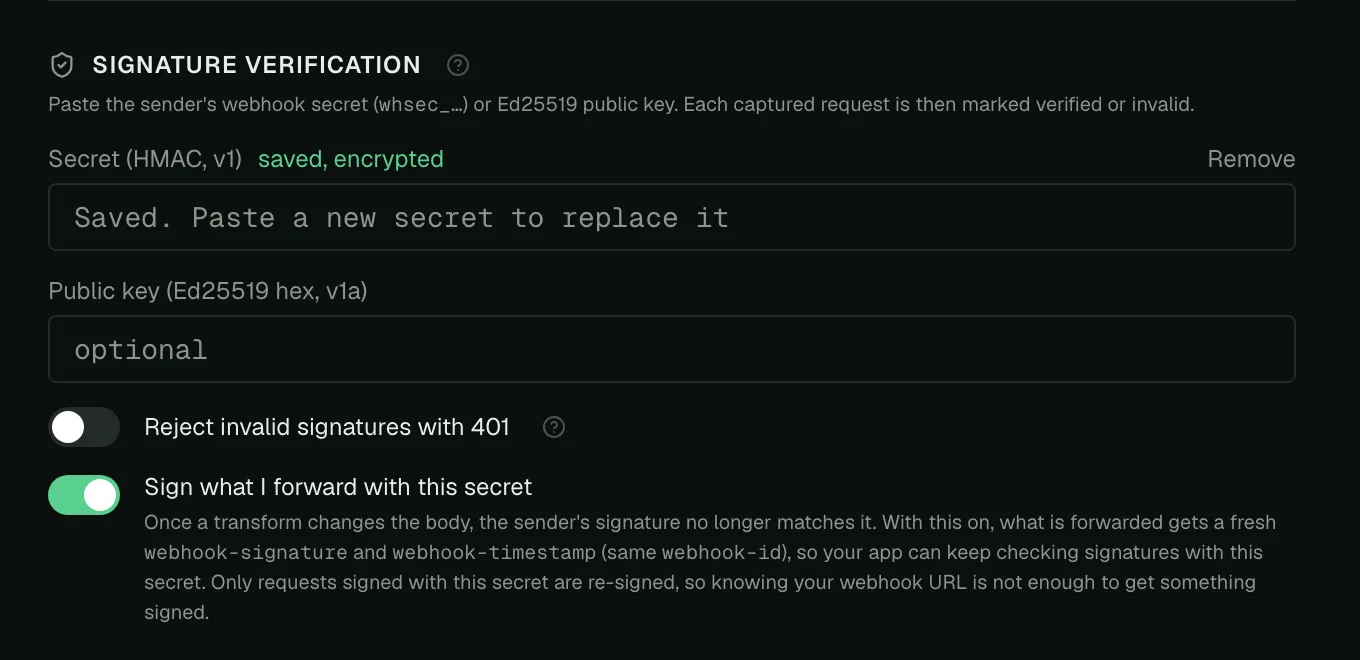
That feature is meant for testing transforms against a real receiver. It also shows the problem clearly. We pointed a Sparrow webhook at a Testhooks endpoint, gave it the webhook’s secret, and wrote this transform:
function transform(req) { req.json.payload.total = 0.01; return req;}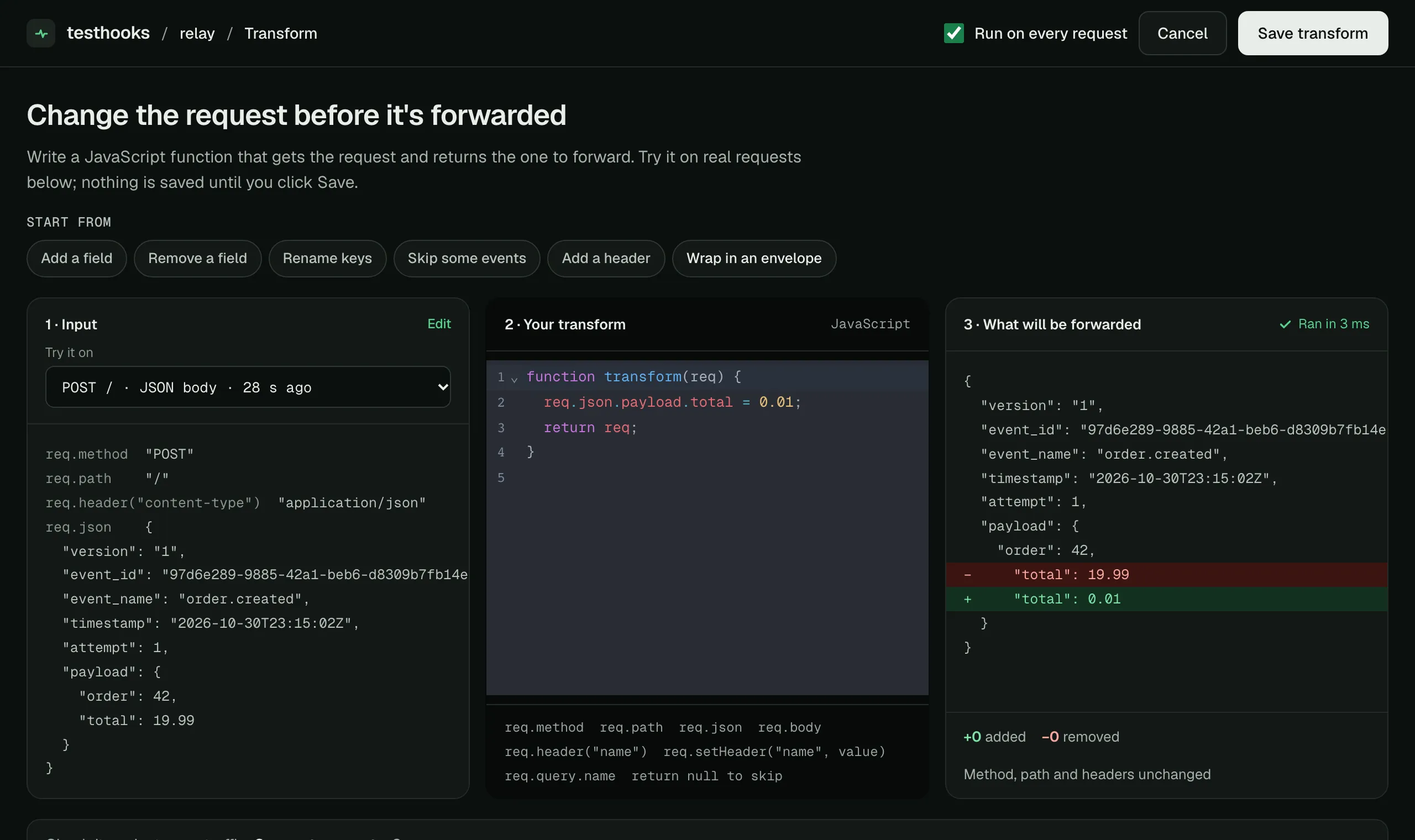
Testhooks forwards the changed delivery with a fresh v1 signature. An app that checks HMAC with the same secret sees an order total of 0.01, signature verified:
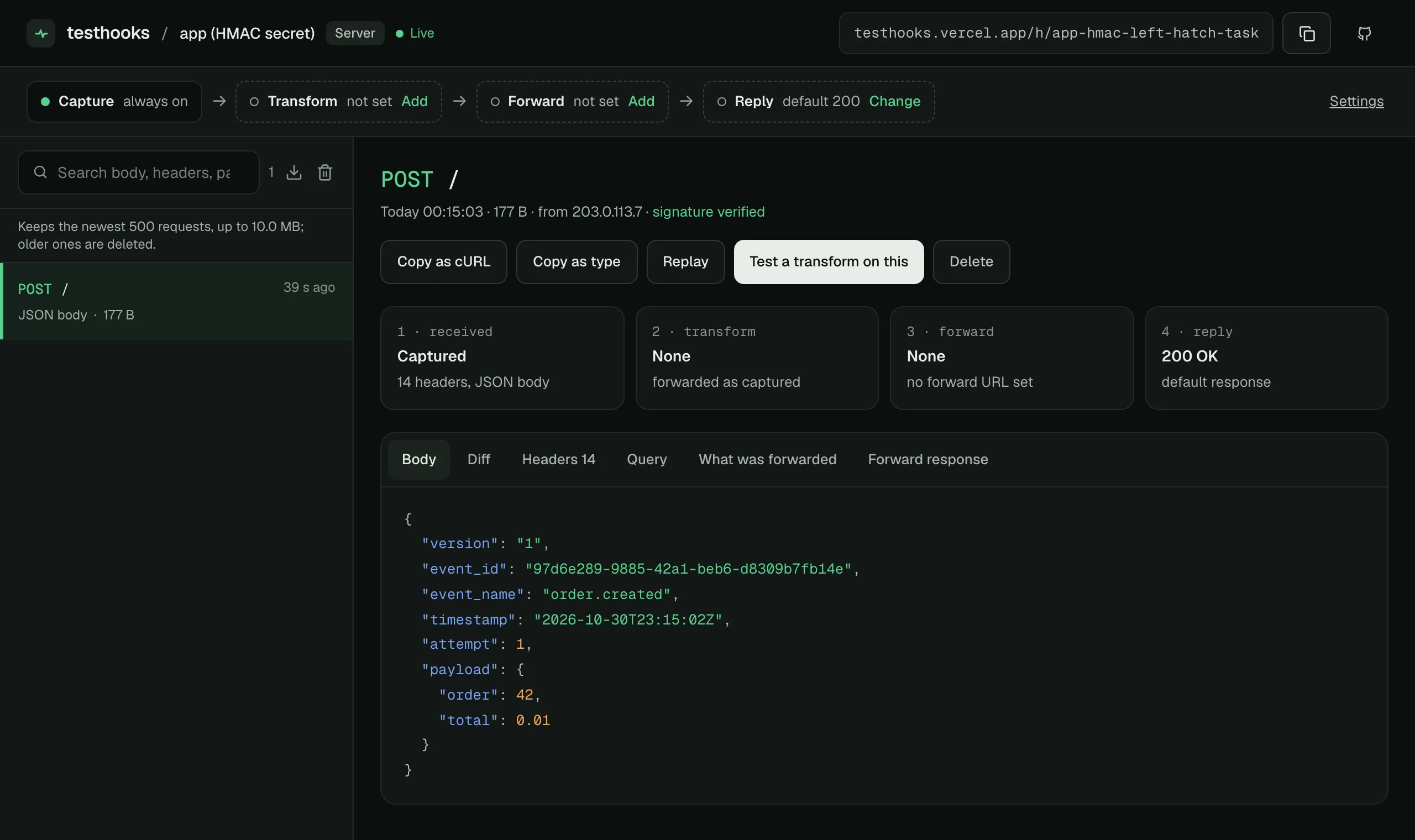
Nothing was broken here. HMAC did what it promises: someone holding the secret signed these bytes. The problem is who holds the secret.
Sparrow’s answer: a key the receiver cannot sign with
Sparrow can sign each webhook with Ed25519 as well. Sparrow keeps the private key; the receiver gets only the public key, which can check a signature but cannot make one. Turn it on when you register the webhook:
curl -X POST http://localhost:8080/v1/consumers/default/webhooks \ -H 'Content-Type: application/json' \ -d '{"url": "https://receiver.example.com/webhook", "events": ["order.created"], "signature_type": "ed25519"}'# -> "signing_public_key": "89a0b318...f5c6"Deliveries then carry an Ed25519 signature (v1a,) next to the HMAC one. HMAC receivers keep working, and a receiver that checks v1a with the public key gets the stronger guarantee.
We repeated the experiment with that receiver: same delivery, same transform, same relay holding the secret. This time the app had only the public key:
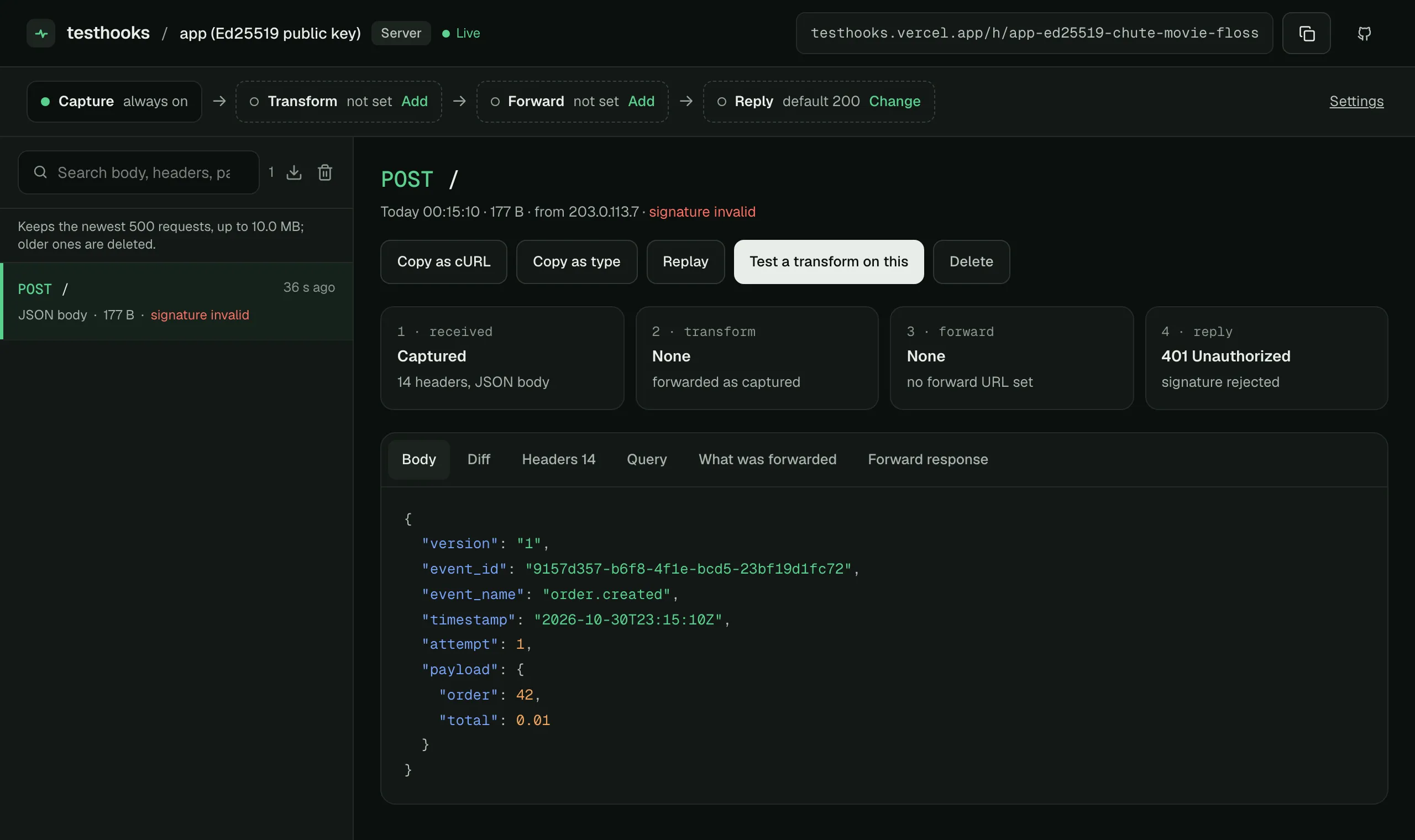
401, no v1a signature in webhook-signature header. The relay could re-sign with the secret, but it has no private key, so it cannot produce a v1a at all. Neither can the receiver, or anyone who copies the receiver’s config. Only Sparrow can.
What to do
- Register webhooks with
"signature_type": "ed25519"when the receiver should never be able to sign, and verifyv1awith the public key. Sparrow’s Go helper does it in one call:signature.VerifyEd25519(body, r.Header, publicKeyHex). - Reshape payloads in Sparrow, not in the middle. Sparrow’s transforms run before signing, so the receiver verifies exactly what it gets and no hop needs a key.
- Keep the usual checks: verify the raw body, reject old timestamps, and deduplicate on
webhook-id.
To try it yourself, create an endpoint on Testhooks, paste a webhook’s secret or public key into Settings → Signature Verification, and send it a delivery. Sparrow’s verification guide has receiver code for both schemes in Go, Python, Node and Java.